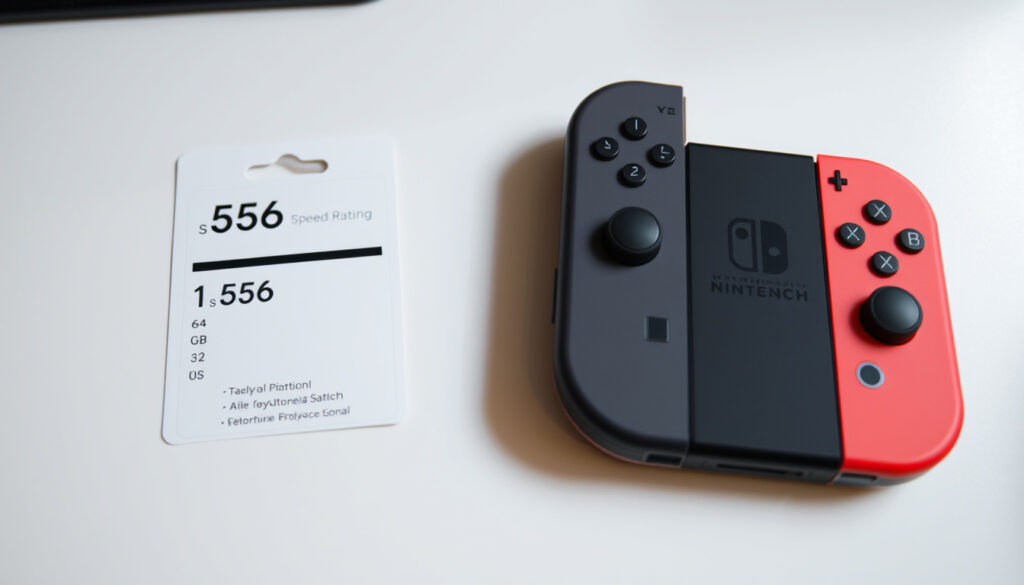
Nintendo Switch SD Card Guide: Compatibility, Capacity & Speed
If you’ve ever watched your Nintendo Switch’s “Software Downloaded” bar crawl to a halt, you already know the problem: 32 GB fills up fast. Nintendo’s official support documents confirm that only microSD, microSDHC, and microSDXC cards will fit the slot — no full-size SD cards allowed.
Nintendo Switch internal storage: 32 GB (standard), 64 GB (OLED model) ·
Maximum supported microSD card capacity: 2 TB (theoretical, up to 1 TB verified) ·
Recommended microSD card speed class: UHS-I (Ultra High Speed Phase I) ·
Average game download size (AAA title): 10–30 GB ·
Official Nintendo-licensed microSD card brand: SanDisk ·
Number of microSD card slots on Switch: 1 (behind the kickstand on standard/OLED, under flap on Lite)
Quick snapshot
- Only microSD, microSDHC, and microSDXC cards are compatible (Nintendo Australia Support (capacity guide))
- UHS-I speed class is recommended (Nintendo Australia Support (performance guidelines))
- 1TB microSDXC cards work with Switch (Kingston Blog (storage compatibility analysis))
- Exact maximum capacity beyond 1TB is untested by Nintendo
- Load time differences between UHS-I and UHS-II on Switch are negligible but unverified
- Official brand recommendations: Nintendo does not explicitly mandate any brand, but SanDisk is officially licensed
- Nintendo recommends cards with 60–95 MB/s transfer speeds – higher speeds improve gameplay experience (Nintendo Australia Support (performance guidelines))
- Nintendo Switch 2 will require microSD Express cards – current microSD cards won’t work for game storage (Nintendo UK Support (Switch 2 guidance))
Five key specs, one pattern: Nintendo’s storage compatibility is defined by card type and speed, not brand. The table below lays out the official limits.
| Label | Value |
|---|---|
| Supported card types | microSD, microSDHC, microSDXC |
| Max verified capacity | 1 TB (2 TB supported theoretically) |
| Minimum speed class | UHS-I (U1 or above) |
| Internal storage (standard/OLED) | 32 GB / 64 GB |
| Typical AAA game size | 10–30 GB |
What SD card is compatible with the Nintendo Switch?
microSD vs SD vs miniSD
- Only microSD, microSDHC, and microSDXC cards fit the physical slot. Standard SD and miniSD cards are too large (Nintendo UK Support (official console guidance)).
Nintendo Switch microSD card types
- microSD: up to 2 GB
- microSDHC: 4 GB – 32 GB
- microSDXC: 64 GB – 2 TB (Nintendo confirms support for 64 GB and above) (Nintendo UK Support (capacity guide))
Using a microSDXC card requires a system update before first use – the console walks you through it, but it’s a step many first-timers miss (Nintendo UK Support).
The implication: card compatibility is strictly about form factor and capacity class, not brand. Any microSD, microSDHC, or microSDXC card from a reputable maker will work.
What SD card should I use for my Switch?
Recommended capacity by usage
- Casual players (mostly physical cartridges): 16 GB to 32 GB microSD card is sufficient (Kingston Blog (gaming storage analysis)).
- Moderate digital buyers: 128 GB holds 4–8 major titles (Kingston Blog (storage capacity advice)).
- Heavy digital gamers: 256 GB recommended; 512 GB for large libraries.
Speed class requirements
- Nintendo recommends UHS-I microSD cards and a transfer speed range of 60 to 95 MB/sec (Nintendo Australia Support).
- A U3 or higher speed class within UHS-I is a good choice (Silicon Power Knowledge Center (Speed class advice)).
- Higher UHS-II speeds do not improve load times on Switch because the console’s reader is limited to UHS-I.
Official vs third-party cards
- Nintendo does not require a specific brand. SanDisk and Samsung are widely used and reliable (Kingston Blog).
- Nintendo-licensed cards (e.g., SanDisk’s officially licensed microSDXC for Switch) offer no performance advantage over third-party UHS-I cards of the same speed class.
Bottom line: For casual players who buy physical, a 32 GB card is enough. For digital downloaders, 256 GB gives the best balance of cost and capacity. Avoid counterfeit cards from unknown sellers – buy from trusted retailers.
Can I use a regular SD card or a 1TB card in my Nintendo Switch?
Using a full-size SD card in Switch
- Standard SD cards are physically incompatible due to the slot size. The Switch accepts only microSD-sized cards (Nintendo UK Support).
Using a 1TB microSD card
- 1TB microSDXC cards are fully supported. Kingston states the Switch can accommodate cards up to 2TB (Kingston Blog).
- No performance difference between 1TB and smaller cards if they share the same UHS-I speed class.
What this means: if you’ve been eyeing a 1TB card for a massive digital library, go ahead – just make sure it’s UHS-I and from a trusted brand. The theoretical 2TB limit awaits future hardware verification.
Is 128GB enough for a Nintendo Switch?
Game size examples
- Average AAA game download size: 10–30 GB (Nintendo Australia Support).
- 128GB card holds 4–8 major titles after formatting.
Storage needs for digital vs physical games
- Physical cartridge games do not use microSD space for the base game – only updates and DLC require storage.
- For users who buy mostly physical copies, 128GB is enough. For all-digital buyers, 256GB or more is comfortable.
128GB is a sweet spot for price and capacity if you own 2–4 large digital games and a handful of indies. Beyond that, moving to 256GB costs roughly twice as much but quadruples your headroom.
The pattern: 128GB works for physical and light digital users, while 256GB or more suits all-digital libraries.
Does it matter which SD card you get for a Switch?
Speed differences
- UHS-I is sufficient – higher UHS-II classes do not produce faster load times on Switch because the console’s interface caps at UHS-I.
- Nintendo’s stated range of 60–95 MB/s is the sweet spot (Nintendo Australia Support).
Brand reliability
- SanDisk and Samsung are the most recommended brands by the community and storage experts (Kingston Blog).
- Nintendo-licensed cards are optional; third-party UHS-I cards from reputable makers perform identically.
Price vs performance
- 128GB: ~$18, 256GB: ~$30, 512GB: ~$55, 1TB: ~$100 (prices vary, but the cost per GB decreases at higher capacities).
- Faster UHS-I U3 cards cost slightly more than U1 but provide headroom for future use.
The pattern: speed beyond UHS-I doesn’t matter on Switch. Focus on capacity and brand reputation – the cheapest UHS-I card from a trusted brand is all you need.
Comparison: recommended microSD card capacities for Nintendo Switch
Three common capacities, one rule: match the card to your game library size, not marketing.
| Capacity | AAA games (approx.) | Best for | Speed class |
|---|---|---|---|
| 128 GB | 4–8 | Casual users, physical copy buyers | UHS-I U1 or U3 |
| 256 GB | 8–16 | Moderate digital library, some AAA + indies | UHS-I U3 |
| 512 GB | 16–32 | Heavy digital gamers, large collection | UHS-I U3 |
microSD card specifications for Nintendo Switch
Here’s how the card standards stack up against the console’s requirements.
| Card type | Capacity range | Speed class | Switch compatible? |
|---|---|---|---|
| microSD | Up to 2 GB | UHS-I (Class 2/4/6) | Yes |
| microSDHC | 4 GB – 32 GB | UHS-I (U1/U3) | Yes |
| microSDXC | 64 GB – 2 TB | UHS-I (U1/U3) | Yes (requires system update) |
| microSD Express | Up to 2 TB | PCIe/NVMe | Only with Nintendo Switch 2 |
Pros and cons of using a microSD card with Nintendo Switch
Upsides
- Expands storage cheaply – 128GB is under $20
- Easy to swap and carry multiple cards
- No performance penalty when using a quality UHS-I card
- Works instantly – no drivers or software needed
Downsides
- Full-size SD cards do not fit
- Only one card can be used at a time
- Downloaded software cannot be moved to a new card without a full re-download or a data copy process (Nintendo UK Support)
- Counterfeit cards are common – always buy from authorized sellers
How to insert and set up a microSD card on Nintendo Switch
Insertion steps
- Locate the slot: behind the kickstand on Switch and Switch OLED; under the flap on Switch Lite.
- Push the microSD card gently until you hear a click – do not force it (Nintendo UK Support).
- If using a microSDXC card, the console will prompt a system update – follow on-screen instructions.
Software setup
- Formatting is handled automatically by the Switch; manual formatting not required.
- To transfer data to a larger card: copy all content from old card to computer, then paste onto new card (Nintendo UK Support).
- Screenshots and captured videos can be moved between system memory and the microSD card, but downloaded software cannot be moved (Nintendo UK Support).
The catch: Always back up your old card before transferring data to a new one to avoid losing game saves and screenshots.
Clarity: what’s confirmed vs what’s uncertain
Confirmed facts
- Nintendo Switch supports microSD, microSDHC, and microSDXC cards
- UHS-I speed class is recommended
- 1TB microSDXC cards work with Switch
- Full-size SD cards do not fit in the slot
What’s unclear
- Exact maximum capacity beyond 1TB (theoretical 2TB not yet hardware-tested by Nintendo)
- Load time differences between UHS-I and UHS-II are negligible on Switch but unverified in official tests
- Official brand recommendations: Nintendo does not explicitly mandate any brand, but SanDisk is officially licensed
The implication: Stick to UHS-I cards from trusted brands like SanDisk or Samsung for guaranteed compatibility and performance.
Quotes from the experts
“Only microSD cards can be used with a Nintendo Switch console. Due to the slot size, SD cards and miniSD cards are not compatible.”
Nintendo UK Support (official console guidance)
“The Nintendo Switch can accommodate microSD cards up to 2 TB in size.”
Kingston Blog (storage compatibility analysis)
“Nintendo recommends microSD cards with read and write speeds between 60 and 95 MB/s. A UHS-I card with a U3 or higher speed class is a good choice for Switch.”
Why this matters: For the average Switch owner who buys digital games, the choice between 128GB and 256GB comes down to library size. If you own more than 4 large titles, skip 128GB and go straight to 256GB – the extra $12 saves you from a second purchase later. For the heavy digital gamer, 1TB is future-proof but not required; 512GB gives a comfortable library for most. And when Switch 2 arrives, remember: your old microSD cards won’t work for game storage – start budgeting for a microSD Express card now.
youtube.com, nintendo.com, forums.sandisk.com, youtube.com, dev-housing.rice.edu
Frequently asked questions
Do I need to format a new microSD card for my Switch?
No – the Switch formats the card automatically when you insert it. Manual formatting is not necessary.
Can I use a microSD card from my phone in my Switch?
Yes, as long as it’s microSD, microSDHC, or microSDXC and formatted to FAT32 or exFAT. The Switch will reformat it if needed.
How do I transfer games to a new microSD card?
Copy all data from the old card to your computer, then paste onto the new card. Insert the new card into the Switch – the system will recognize it.
Will a faster SD card make games load faster on Switch?
Not significantly. The Switch’s card reader is limited to UHS-I speeds, so UHS-II or UHS-III cards offer no benefit in load times.
Can I use a microSD card larger than 32GB in the Switch?
Yes – cards above 32GB are microSDXC. They are supported but require a system update before first use.
Does Nintendo recommend any specific brand?
Nintendo does not mandate a brand. However, SanDisk’s officially licensed microSDXC cards are tested for compatibility. Samsung and Kingston are also reliable.
How many games can a 256GB microSD card hold on Switch?
Approximately 8–16 major AAA titles, or dozens of smaller indie games. Actual number depends on game file sizes.
More related posts
 Plymouth Argyle vs Leeds United Stats – H2H Record & Predictions
 Carla Gugino: Ethnicity, Age, Movies, and Personal Life
 Forest Green vs Southend Utd: H2H Stats & How to Watch
 Michael K. Williams: Cause of Death, Net Worth, The Wire & Family
 Whats On in Manchester – March 2025 Gigs and Events
 B&Q Wigan: Store Hours, Address, News & Discounts
 Jodie Turner-Smith: Biography, Career & Personal Life